
PatientReach Mobile1.4.2 - Get APK
You'll be able to download in few seconds.
Publisher Description
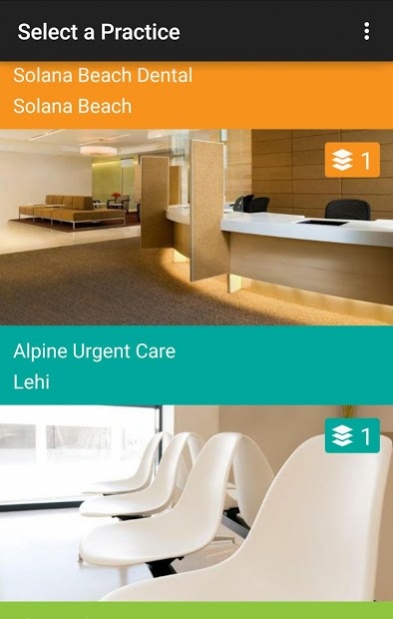
PatientReach Mobile is the secure patient app from Solutionreach that gives you a secure connection to your healthcare providers with an easy-to-navigate interface that offers convenient access to front desk services, and simple tools for doctor-patient communication and care management from your mobile phone.
- Send and receive secure text messages with your doctor
- View appointment history
- See upcoming appointments
- Set appointment reminders
- Send appointment confirmations
- View your invoice history
- View or be notified of outstanding balance
- Submit full or partial mobile payments
- Connect with your provider through social media
- Tap to enter contact or navigation data
Home Screen:
You can link multiple practices to your PRM app, (i.e. your primary physician, dentist, optometrist, and dermatologist can all be viewed on the main screen.)
Practice Screen:
Within the screen for each practice, you can tap to call, populate the office address into your phone’s Map application, and connect with the practice on Facebook or Twitter. You can also click to add the practice to your phone’s contact list.
The main screen for the practice features three key options: Secure Messaging, Appointments, and Balance Information. A notification will appear next to the clickable section if there are unseen notifications, like a reminder for an upcoming appointment, an unread secure message, or a past due payment.
You can also elect to have notifications pushed through your phone when you have an appointment, message, or payment reminder waiting for you.
Messaging Screen:
With a secure sign-in, (completed via a 4-digit pin), the doctor-patient messaging section of the application allows you to send and receive HIPAA secure messages with your provider or their practice staff (like mobile patient portal messages in text format.)
Clicking on a message thread takes you to a text-like conversation view for easy back and forth communication. Here, you are able to take photos, capture videos, or attach files. Your provider can also send files and images for you to view.
Appointment Screen:
The appointment section of the application lets you view your appointment history, review details for upcoming appointments, confirm upcoming appointments, add appointments to your eCalendar, and schedule new appointments.
Balance/Payment Screen:
The balance information section of the application is where you can view your invoice history, as well as make payments for outstanding balances.
After entering the payment amount, you can quickly submit the payment by taking a photo of your credit card or entering the information manually.
Contact your healthcare provider if you aren’t certain whether or not their practice is connected with PatientReach Mobile.
About PatientReach Mobile
The company that develops PatientReach Mobile is Solutionreach. The latest version released by its developer is 1.4.2.
To install PatientReach Mobile on your Android device, just click the green Continue To App button above to start the installation process. The app is listed on our website since 2018-03-23 and was downloaded 0 times. We have already checked if the download link is safe, however for your own protection we recommend that you scan the downloaded app with your antivirus. Your antivirus may detect the PatientReach Mobile as malware as malware if the download link to com.solutionreach.patientreach is broken.
How to install PatientReach Mobile on your Android device:
- Click on the Continue To App button on our website. This will redirect you to Google Play.
- Once the PatientReach Mobile is shown in the Google Play listing of your Android device, you can start its download and installation. Tap on the Install button located below the search bar and to the right of the app icon.
- A pop-up window with the permissions required by PatientReach Mobile will be shown. Click on Accept to continue the process.
- PatientReach Mobile will be downloaded onto your device, displaying a progress. Once the download completes, the installation will start and you'll get a notification after the installation is finished.
Program Details
System requirements
Download information
Pricing
Version History
version 1.4.2
posted on 2018-03-23
Fixed an authentication issue when scheduling appointments.
version 1.4.1
posted on 2016-12-13
- Fixed a problem with missing action bars.
version 1.3.11
posted on 2016-09-21
- Fixed a bug when making an appointment with your provider.
Disclaimer
External Download
We do not host PatientReach Mobile on our servers. We did not scan it for viruses, adware, spyware or other type of malware. This app is hosted by Galad and passed their terms and conditions to be listed there. We recommend caution when installing it.
The APK Download link for PatientReach Mobile is provided to you by apps112.com without any warranties, representations or guarantees of any kind, so access it at your own risk.
If you have questions regarding this particular app contact the publisher directly. For questions about the functionalities of apps112.com contact us.
